
CINEVIEW JOURNAL
Can You Film Glass and Transparent Products Against a Green Screen?
19/11/2026

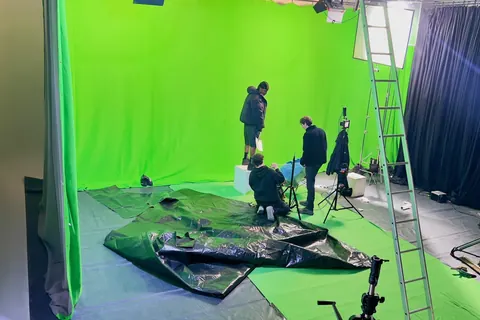
Yes, glass and transparent products can be filmed against a green screen, but they need a deliberate compositing plan. A clear bottle is not simply a solid object with an outline. The camera sees the background through it, as well as reflections on its surface. Removing the green must not remove the visual details that make the product look like glass.
Before booking film studio hire, show the actual product and intended final background to the person who will combine the images. Their answer may change the lighting, background or capture method. This is a product-specific decision, not a reason to reject green screen for every transparent object.
Decide what must stay visible
Start with a simple product map. Mark the solid label, opaque cap, clear body, tinted areas and any liquid inside. Then describe what the finished shot should show. Should the viewer see the new background through the bottle? Must a coloured liquid retain its colour? Which highlights make the shape readable?
A clear bottle, frosted jar and glossy metal container need different treatment. Transparency and reflection are not the same thing: one lets the background show through, while the other shows surrounding surfaces. A product can have both. Do not approve a method for the whole range after testing only an opaque box.
Why can removing green damage the product?
Colour keying turns selected colour values into transparent areas. Adobe’s After Effects keying guidance explains this principle and specifically recommends examining intricate frames containing glass or other partly transparent objects.
In a glass-product shot, green may appear through the body and in surface reflections. A setting that clears the background can also affect parts of the product. Conversely, keeping every original pixel may leave unwanted green in the finished image. The task is to retain the product’s appearance while integrating the replacement background, not merely make the green disappear.
Ask the compositor to explain what can come from the main recording and what may need additional treatment. Avoid promising that a single keying setting will preserve every label, curved edge and reflection.
Brief the shot before choosing the background
Send the production and post-production teams photographs of the actual item, its dimensions and a short description of the action. Include whether the product stays still, turns, is lifted by a hand or contains moving liquid. Add the proposed final setting and delivery format.
- Label: which lettering and brand colours must remain unchanged?
- Body: is it clear, tinted, frosted or partly opaque?
- Contents: will liquid, bubbles or internal packaging be visible?
- Movement: which angles will the camera see during the complete shot?
- Finish: should the result look like a clean packshot or a product within a particular environment?
This brief helps the team decide whether green screen is useful or whether filming against the intended practical background is simpler. Our broader guide to when to use green screen covers that production choice.
Review a composite, not just the original footage
Arrange any test session with the studio in advance, including its time and cost. Use the real product, not a substitute with different packaging. Record the planned action and give the original file to the compositor. A phone photograph of the camera monitor cannot demonstrate the finished result.
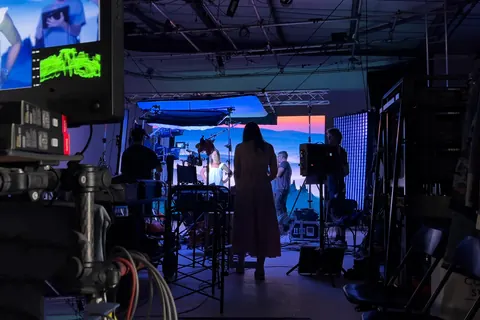
Ask to see the product over the intended background and over a contrasting review background. Check the label, cap, rim, sides and base separately. Look for missing edges, unwanted green, labels becoming transparent and clear areas becoming an opaque patch. Then watch the whole movement: a tidy opening frame does not establish that a turn or hand movement will work.
Keep a short approval note describing the acceptable result. For example: “Label remains solid; the background is visible through the clear body; the rim remains readable throughout the turn.” This is more useful than “the key looks good”.
Agree additional capture before the set comes down
The compositor may ask for reference images, a background-only recording or separately planned passes. Ask exactly what is needed, how it should be labelled and which camera or product positions must remain unchanged. Do not add extra passes without a purpose, or assume an empty-background recording solves every glass problem.
If the test cannot deliver the required appearance within the agreed time and budget, revise the method before filming the range. Options to discuss include a practical background, a different backing or separately treating parts of the product. None is an automatic fix; let the actual shot and the post-production plan decide.
What should you include in the studio enquiry?
For film studio hire London, include the product brief, movement, proposed compositing method and required review time. Check Cineview’s equipment list, then confirm specific lights, modifiers, grip, crew support and charges. Equipment being listed does not mean it is reserved or included.
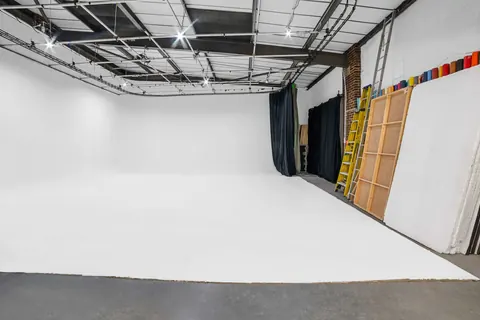
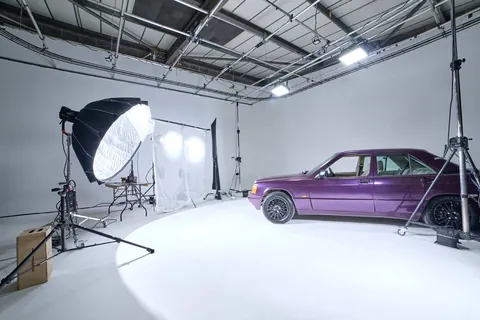
If the booking also includes photo studio hire, identify which photographs need a replacement background and which will be finished in camera. Photography studio hire and video production may need different arrangements. An infinity cove studio can suit a seamless setting, while a blackout studio can offer a different light-control environment. Neither an infinity cove nor blackout studio hire removes the need to plan how clear glass will look.
When comparing photography studio hire London or studio hire London options, send the same brief to each venue. Results for “photo studio near me” and “photography studio near me” help with location, not compositing feasibility. A cheap studio hire price is only useful once the complete production method is costed. Before you hire photo studio space, confirm the working setup rather than relying on the listing headline.
The solution: approve the product’s appearance before filming the range
Bring the compositor into planning, identify the details that must survive and prove the method with the actual product. Approve the finished appearance through the full action, then record the setup and any extra capture requirements. Send Cineview your product and filming brief so the studio arrangement and test requirements can be discussed before booking.