Free practical guide · Filmmakers
How to turn a brief into a shot list
Break the creative idea into shots your team can prepare and discuss.
Follow the five steps below and use the matching free worksheet to record the decisions. Adapt the process to your project, crew and agreed production procedures.
Five practical steps
Step 1
Start with the deliverables
List what the final film or image collection must contain.
Step 2
Describe each shot
Give the shot a reference and describe subject, framing and movement.
Step 3
Add production needs
Note the lighting, props, styling and sound requirements.
Step 4
Group practical setups
Discuss an efficient order with the camera, lighting and production team.
Step 5
Mark priorities
Identify essential shots and alternatives so the team can respond when timings change.
Original teaching example
A fictional bottle campaign
Shot 01 shows the full bottle, shot 02 the lid mechanism and shot 03 the carry loop in use. Mark shot 02 essential. Group the detail inserts if they use the same lighting and lens setup, after discussing the order with the crew.
This fictional example illustrates the process. It does not describe a Cineview client project or replace confirmed instructions for your shoot.
Before you share the plan
- Check the date, version and responsible contact.
- Separate confirmed details from open questions.
- Use consistent scene, shot or file references.
- Give actions a named owner and realistic deadline.
- Share only the personal information each recipient needs.
Ask the relevant department lead to check practical details. Keep older copies clearly marked and tell recipients when a revision changes something they need to act on.
Watch and compare: How Shot Lists Can Improve Your Storytelling
Reference video from StudioBinder. Compare its approach with this practical guide; inclusion does not imply endorsement.
YouTube loads only when you choose to load the video.
Watch on YouTube ↗Download your working document
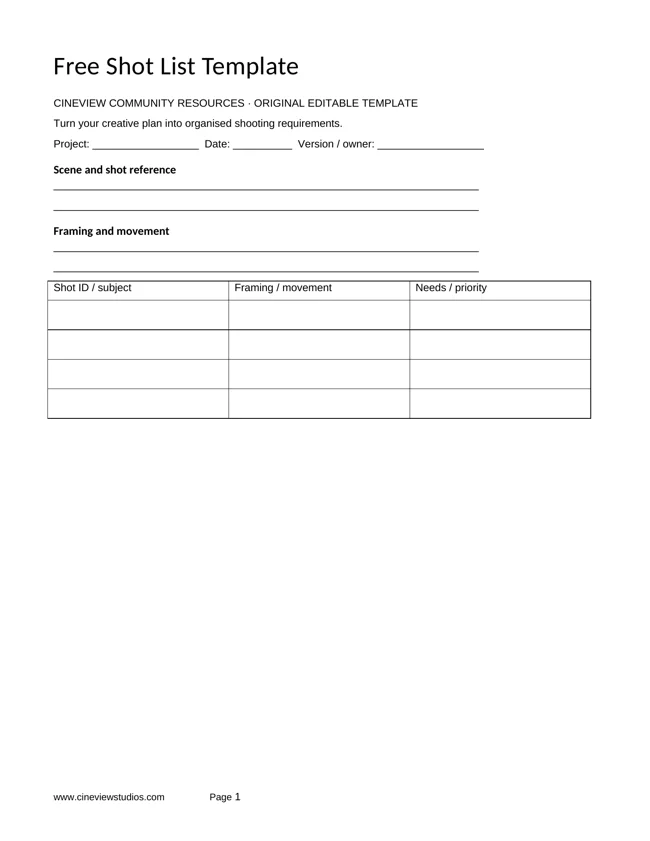
Turn your creative plan into organised shooting requirements. The printable PDF and editable Word file are free, without sign-up. Word files also open in Apple Pages.
Plan your studio shoot
Explore film studio hire, photography studio hire and the equipment list. Planning documents are optional to share with Cineview. Contact the studio with your space, dates and equipment requirements.
Send this free resource to a colleague, your production team or a WhatsApp group.
Use and attribution
You may adapt our original worksheets for your own production planning. Keep the website credit when sharing an unchanged template. These educational resources are not legal, financial or safety advice. Film titles, story frameworks and third-party videos belong to their respective rights holders. Cineview Studios is not affiliated with those publishers, and inclusion does not imply endorsement.
References are provided so you can compare approaches and form your own view. Check the rights to any photographs, scripts, music or other material you put in a production. Protect personal information when sharing crew and cast documents.