
CINEVIEW JOURNAL
Will Your Camera Trigger the Flash in a Hired Photography Studio?
19/11/2026

A studio may have the flash heads you want, but that does not confirm your camera can fire them. Before photo studio hire, check the complete connection: camera, transmitter, receiver or built-in radio system, and flash. A trigger that fits the camera physically is only one part of that check.
This guide is about getting a dependable flash connection for still photography. It is not a universal settings recipe or a promise that every camera works with every light. The simplest way to avoid a shoot-day surprise is to send the exact model names before booking, then take a real test photograph with the agreed kit.
Send model names, not just brand names
“I have a Canon” or “I use Profoto” leaves too much unanswered. Tell the studio the camera body model and the full name of any transmitter you plan to bring. Include a clear photograph of the label if you are unsure. If you will use a second camera, list that one too.
- Which flash heads will be prepared for your booking?
- Which transmitter and receiver arrangement will connect them to your camera?
- Do you need simple manual firing, remote power adjustment or automatic flash exposure?
- Who supplies any required adapter, cable and batteries?
- Has the exact combination been checked, and what remains to be tested?
Keep the answers in your booking notes. An equipment list shows what a studio offers; it does not reserve every item or establish compatibility for your particular setup.
Separate firing the flash from controlling it
Basic triggering means making the flash fire when the camera takes a photograph. Changing power from the camera position is a separate function. TTL, which uses through-the-lens metering for automatic flash exposure, and high-speed sync are further capabilities that require a supported combination.
For example, Profoto’s official remote comparison distinguishes camera-specific TTL models from non-TTL options. Its Air Remote supports manual control of compatible Profoto Air lights but is listed without TTL/HSS. This is why “a Profoto trigger” is not a precise enough request. Check the current documentation for the actual camera, remote and flash you intend to use.
Do not assume matching radio-channel numbers make different manufacturers’ systems compatible. Ask the studio to identify a supported connection rather than improvising adapters on the day.
Test the camera shutter, not only the transmitter button
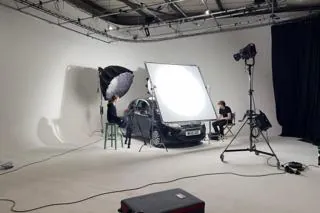
A flash responding to the transmitter’s test button is useful, but it does not prove that the camera can trigger it during an exposure. With the studio team’s help, mount and configure the agreed equipment according to its instructions. Use a shutter mode and sync setting supported by the camera and flash system.
Take a photograph of the actual subject or a simple test object. Inspect the recorded image for an evenly exposed frame and the expected contribution from the flash. Do not judge the connection only by seeing a flash across the room or looking at the camera’s live preview.
Take several frames at the pace you expect to work, allowing the flash to become ready between exposures. Then test from your intended camera position. If you switch bodies or change the triggering arrangement, repeat the check before continuing the shot list.
If it does not fire, work through one link at a time
Start with the agreed setup rather than changing several menus at once. Confirm that the flash is powered and ready, the transmitter has power, and the radio settings and enabled groups match the intended configuration. Check that the transmitter is correctly seated and secured as its instructions require.
If the transmitter button fires the light but the camera shutter does not, ask the photographer or studio technician to check the camera connection and supported shutter settings. If the flash fires but the picture has a dark band or inconsistent illumination, review sync settings and the recorded test frames before changing the lighting design.
Do not force a connector, use an unidentified cable or assume an older camera is safe with any wired flash connection. Get the relevant compatibility information first. A fallback is useful only if it has been checked with your equipment.
Confirm what the hire quote actually supplies
For photography studio hire London, send Cineview your camera and lighting requirements alongside your shoot date and brief. Review the equipment list, then confirm availability, the exact accessories and any charges. Photography studio hire should be agreed around the working setup, not just the number of flash heads.
Our guide to what studio lighting hire covers explains the distinction between available equipment and included equipment. If you need help setting up or troubleshooting, agree that support before the booking rather than assuming a lighting technician is included.
Does the studio space change the compatibility check?
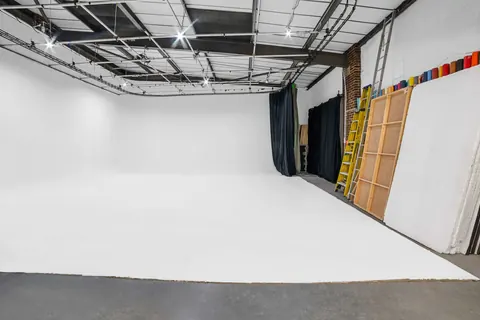
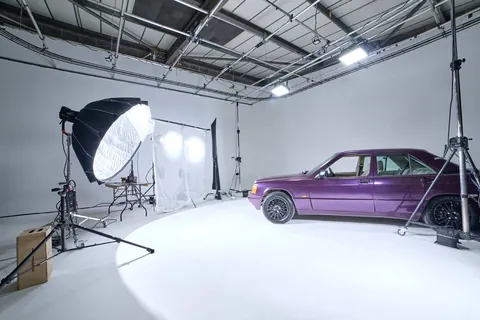
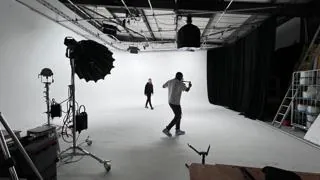
An infinity cove studio can provide a seamless setting, while a blackout studio may suit a plan that needs control of unwanted ambient light. Neither an infinity cove nor blackout studio hire makes an incompatible trigger work. Choose the setting for the images, then confirm the equipment separately.
When comparing results for “photo studio near me” or “photography studio near me”, ask the same model-specific questions of each venue. A cheap studio hire quote is only comparable once the accessories and support are clear. Treat a “hire photo studio” listing as a starting point, not a complete kit specification for studio hire London.
If you also need film studio hire, explain which shots are stills and which are moving images. For film studio hire London, agree the video lighting separately; a successful stills-flash test does not establish a suitable video setup.
The solution: confirm the chain, then prove it with a photograph
Write down the exact camera, trigger and flash combination, confirm who supplies each part, and leave setup time for a recorded test. Check both camera bodies if you plan to use two. Once the connection works reliably, move on to lighting and exposure rather than troubleshooting during the main shoot.
Send Cineview your camera model and shoot brief before booking so the intended equipment, accessories and support can be confirmed.