
What Is Virtual Production studio and How Does It Work?
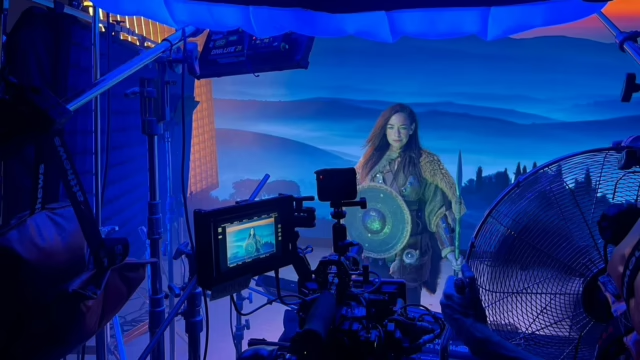
Film production is changing as new technology gives filmmakers more creative options. Virtual production combines live filming with digital backgrounds, allowing production teams to create realistic scenes without travelling to every location. For example, filmmakers can use large LED screens to show cities, landscapes, or indoor settings while actors perform in front of them. This gives directors and cinematographers a better view of the scene during filming and helps them make changes before moving to the next shot.
A virtual production studio London can support films, TV commercials, music videos, and branded content. It gives filmmakers more control over their surroundings and helps them manage different scenes in one place. Instead of building every location or travelling between several places, production teams can use digital environments to create the look they need. In this guide, we explain how virtual production works, which tools it uses, and how it can support your next project.
What Is Virtual Production?
Virtual production is a filmmaking method that combines real actors and physical sets with digital scenes. It uses tools such as LED screens, cameras, and computer software to create the final image. For example, a director may want to film a scene in a busy city but cannot travel to the location. The team can display a digital city on an LED wall, allowing actors to perform on a real set while the screen shows the chosen location.
This method also helps the crew see the scene as they film. Directors can check the background, lighting, and camera angles before recording more shots. Virtual production is useful for films, television shows, adverts, and music videos. It can also help teams plan scenes before filming begins, making it easier to discuss creative ideas and prepare the equipment needed for each shot.
How Does Virtual Production Technology Work?
Virtual production technology brings digital scenes and real filming together. Different tools work as a team to create the final image, from designing the digital setting to showing it on LED screens. The crew must also set up the cameras, lighting, and tracking systems to make sure the real and digital parts look natural together.
1. Create the Digital Environment
First, the team creates the digital setting. This may be a city, forest, beach, or room. Artists use 3D design software to build the scene and add details such as colours, textures, buildings, and lighting. They can change these details to match the director’s vision and adjust the view to suit the planned camera shots. Software such as Unreal Engine can show digital scenes in real time, allowing the team to make changes and see the results quickly.
Good planning is important at this stage because the digital scene must match the camera angle, actors, and physical set. The team may also prepare different views of the same location for use in several shots. This work helps the crew avoid problems during filming and makes it easier to create a consistent look across the project.
2. Display the Scene on LED Screens
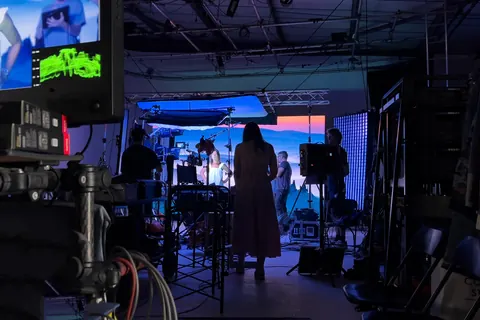
Next, the team displays the digital scene on large LED screens. An LED volume studio uses LED panels to create a digital background around the filming area. Depending on the setup, the screens may form one large wall or a curved display. Actors can perform in front of the screens while the camera records the scene. The crew can also add real props and set pieces to help the location feel more natural.
LED screens can provide light and reflections as well. For example, a digital sunset can create warm light on an actor’s face, helping the actor fit into the scene. The screens also allow the crew to view the background while filming instead of waiting until editing begins. This can help directors and cinematographers make better choices about framing, lighting, and the overall look of the shot.
3. Use Camera Tracking
Camera tracking helps the digital background respond to camera movement. For example, when the camera moves to the left, the view on the screen can change to match that movement. This makes the digital scene look more natural and gives the viewer a stronger sense of depth. The tracking system follows the camera’s position and sends this information to the rendering software, which adjusts the view shown on the LED screens.
The crew must set up and test the tracking system before filming. They may also need to check camera settings and lens details to make sure the digital scene matches the camera view. Accurate tracking helps prevent errors that could make the background look out of place. When the system works well, the digital environment feels more closely linked to the actors and the physical set.
4. Match the Lighting and Set
Lighting plays an important role in virtual production because the real set must look as if it belongs in the digital scene. For example, a scene set at sunset may need warm lights on the actors, while a night scene may need darker lighting and bright highlights. The crew adjusts the lights to match the background shown on the LED screens. This helps the actors and props look natural within the digital environment.
The team can also use real objects, furniture, and props to give actors something to touch and interact with during filming. These physical details help make the scene more believable. When the lighting, props, and digital background work well together, the final image looks more natural. Therefore, the crew should plan these details before filming starts and test the setup before recording important scenes.
5. Check the Scene During Filming
One key benefit of virtual production is that the team can see the scene as it is filmed. The director can check the background, camera angles, actor positions, and lighting before recording more shots. If something does not look right, the crew can adjust the digital scene or change the physical setup. This makes it easier to solve problems early and helps the team stay focused on the planned look.
Virtual production can also reduce some work after filming, but it does not remove the need for post-production. Editing, colour correction, sound work, and visual effects may still be needed, depending on the project. Simple scenes may need fewer changes, while complex scenes can require more work. The team should plan the full process before filming so everyone understands which tasks must be completed on set and which will be handled later.
What Are the Benefits of an LED Volume Studio?
An LED volume studio offers several benefits for filmmakers and production teams. It can help them manage filming conditions, explore new creative ideas, and work more closely with other members of the crew. However, the benefits depend on the needs of the project and how well the team prepares for the shoot.
Better Control Over Filming
Outdoor shoots can be affected by rain, wind, and changing daylight. A studio gives the crew more control over these conditions because the team can create the desired setting on the screens. With virtual production, filmmakers can show a sunny beach, a mountain view, or a night-time city inside the studio without waiting for the right weather or time of day. This also helps the crew keep the look of a scene consistent across several takes.
More Creative Choices
Digital backgrounds let filmmakers create places that may be hard to reach or do not exist in real life. For example, a team can create a space station, a fantasy world, or a busy city street without building the entire location. The crew can also change the background to suit different scenes. This makes virtual production useful for films, adverts, and music videos that need special visual settings or a clear visual style.
Easier Teamwork
Traditional green screen filming can make it hard to picture the final scene because actors and directors may not see the finished background during filming. With an LED wall, the team can view the digital setting on set and make decisions while recording. Actors can respond to their surroundings, while directors and cinematographers can check the full shot. As a result, the crew can discuss changes and solve problems before moving forward with the production.
More Efficient Filming
Virtual production can reduce the need to travel between locations and may also reduce the need to build large physical sets. For example, a team can film several scenes in one studio by changing the digital backgrounds. This can make planning and filming easier, especially when a project needs several different settings. However, the results depend on the project, the digital scenes, and the equipment required. Teams must still prepare the content, test the setup, and plan each shot carefully.
Where Is Virtual Production Used?
Virtual production technology can support many types of film and video projects. It allows production teams to create different settings while keeping actors, cameras, and equipment in a controlled space. Here are some common ways filmmakers and creative professionals use this approach.
Film and Television
Film and television teams can create digital cities, forests, historical locations, and other settings. This is useful when a real location is hard to reach or does not suit the filming plan. It also helps the crew control the background and lighting, making it easier to capture scenes with a consistent look.
TV Commercials
Adverts often need clear visuals, consistent lighting, and carefully planned shots. Virtual production lets teams place products and actors in different digital settings without changing the physical filming location. For example, a brand can create a modern home, an outdoor scene, or a bold digital backdrop. This gives the creative team more control over the look of the campaign.
Music Videos
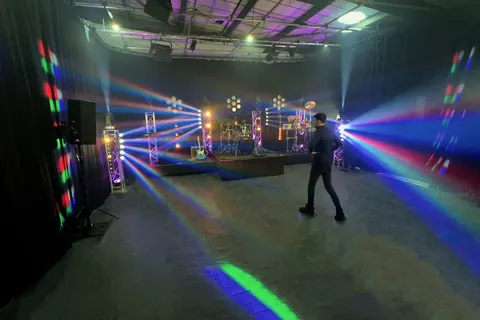
Music videos often use creative visuals and unusual settings to support the song and its style. Digital backgrounds can help directors create these looks within a studio. The team can also change the setting between shots, giving directors more ways to tell a story through images without moving the entire production to a new location.
Branded Content and Product Videos
Brands can use virtual production to create videos that match their identity and campaign goals. They can show products in digital settings that suit the message, whether they are creating a product launch video, an online advert, or promotional content. This approach allows teams to plan the background around the product and keep the filming setup under control.
Automotive and Lifestyle Shoots
Some car and lifestyle shoots can use virtual backgrounds to suggest different locations. For example, a vehicle may appear to be in a city or on a country road while remaining inside a studio. However, the crew must plan camera movement, lighting, and screen reflections carefully. These details help the vehicle or subject look natural against the digital scene.
Is Virtual Production Better Than Green Screen?
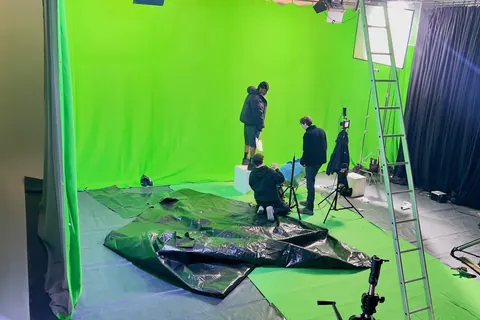
Virtual production and green screen both help filmmakers use digital backgrounds, but they work in different ways. With green screen filming, actors perform in front of a green background. The crew removes that colour during editing and adds the digital scene later. This method remains useful when the background does not need to appear on set or when a project needs certain types of visual effects.
With LED-based virtual production, the digital background appears on screens during filming. This lets the crew see the setting while recording and can create useful light and reflections on actors or objects. However, LED production needs suitable screens and technical planning. Neither method is best for every project. The right choice depends on the budget, camera work, visual style, and needs of the production team.
How to Choose a Virtual Production Studio in London
Choosing the right studio is an important step in planning your shoot. Before booking, check the facilities, screen size, and technical support available. First, make sure the LED display suits your camera angles and the scenes you want to film. Next, ask about camera tracking and real-time rendering, especially if the background needs to change with camera movement. These features can affect how well the digital scene works during filming.
You should also check the studio space, ceiling height, lighting equipment, and access for props. These details can affect how easily your team works on set. Finally, share your production brief with the studio team and explain your planned shots, digital backgrounds, and equipment needs. This helps the team decide whether the space is right for your project and what preparation may be needed before filming begins.
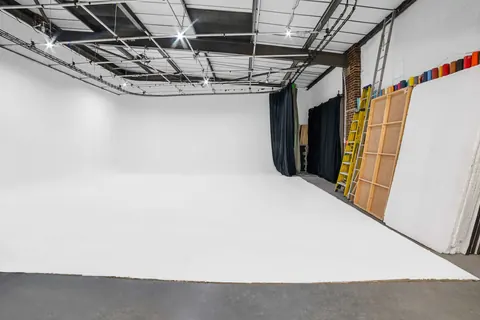
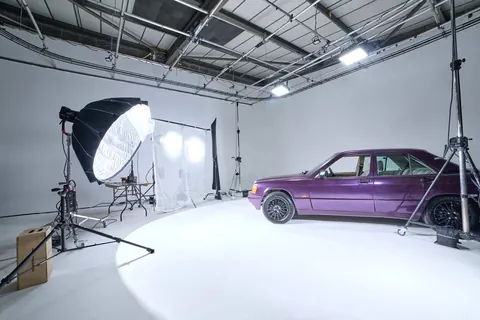
Cineview Studios offers a virtual production setup with an LED wall measuring 4.5 m × 2.5 m and support for 4K playback workflows. Technical needs can be discussed before the shoot to help the team plan the right setup. The studio also offers an infinity cove, a blackout studio, and a green screen setup. These facilities give production teams more options for film, photography, and commercial projects. If you are planning a shoot, contact Cineview Studios to discuss your needs and explore the available facilities.
Conclusion
Virtual production gives filmmakers new ways to create scenes with digital backgrounds. It combines real actors, physical sets, LED screens, and computer software to create a more controlled filming environment. This approach can help production teams manage lighting, explore new settings, and film different scenes in one place. It can also support films, adverts, music videos, and branded content.
Good results depend on careful planning and the right studio setup. Teams should choose their equipment and digital scenes based on the needs of the project. Cineview Studios offers a range of studio facilities for creative teams who want to explore different production methods. Get in touch with Cineview Studios to discuss your project and explore virtual production studio hire in London.
Frequently Asked Questions
1. What Is a Virtual Production Studio?
A virtual production studio is a space where filmmakers combine live filming with digital backgrounds. LED screens can show different locations while actors perform on a real set. This helps the crew view the scene during filming and make changes when needed.
2. How Does an LED Volume Studio Work?
An LED volume studio uses large LED screens to display digital scenes. Camera tracking and real-time software can adjust the background as the camera moves. This helps the digital setting look more natural from the camera’s point of view.
3. What Equipment Is Needed for Virtual Production?
A typical setup may include LED screens, cameras, lighting equipment, tracking tools, and computer software. The exact equipment depends on the type of shoot, the scenes being created, and the level of control needed during filming.
4. Is Virtual Production Suitable for Small Projects?
Yes, virtual production can work for some small projects, including adverts, music videos, and product films. However, the team should check the studio facilities, technical needs, and budget before booking to make sure this method suits the project.
5. Does Virtual Production Remove the Need for Editing?
No, editing is still needed for most projects. Virtual production may reduce some background replacement work, but colour correction, sound editing, and visual effects may still be required. The amount of post-production depends on the final result the team wants to achieve.
6. How Do I Choose a Virtual Production Studio in London?
Check the LED screen, studio space, camera tracking, lighting, and technical support before booking. You should also share your production plan with the studio team. This helps confirm whether the facilities meet your needs.